
This tutorial show you how you can easily Install Plugins for your WordPress website with easy use and make your Website Blog Good Looking with simple and easy tricks. If you have a WordPress Blog with .COM or any URL with WWW. then you can add these plugin listed below and make your website best and get also more Organic Traffic on your website by using these plugins. I have write many post on my blog about WordPress Search Engine Optimization. If you want to increase your WordPress Blog traffic then use these tricks and enjoy.
I discuss these listed below plugins with detail and the best use of these plugins.
Download All-In-One-SEO-Pack Version 2.0.2 Download Verison 2.0.2
Login in to WordPress Admin.
Go to Dashboard.
Go to Plugin.
Click on Add New. See in picture/image below.
In the Search Plugins Box.
Type the same name of plugin which you want to install link. All-In-One SEO Pack and press enter.
When you press enter the plugin list are shown click the All-In-One SEO Pack plugin to install and return to back plugin page. Now your plugin is install and it works when you write your first post below the post writing page it will show and you add Title Tags, Description, or Significance Keywords.
SEO Tips How Keyword Take Your Website On Rank
Download the WordPress SEO By Yoast Version 1.4.7 Download Version 1.4.7
Use Google Better Keywords Search Engine Friendly For Wordpress
Download the SEO Ultimate Version 7.6.1 Downlaod Version 7.6.1
Download the SEO Friendly Images Version 2.7.5 Download Version 2.7.5
 |
| WordPress Best Easy Plugins Installation List For SEO And Make Professional Website After Blogger 1 |
These Below List Are The Main WordPress SEO Plugins:
I discuss these listed below plugins with detail and the best use of these plugins.
All-In-One SEO Pack.
WordPress SEO by Yoast.
SEO Ultimate.
SEO Friendly Images.
HeadSpace2.
Platinum SEO plugin.
SEO Slugs.
SEO Post Links.
Automatic SEO links.
WP Backlinks.
SEO Title Tag.
404 SEO Plugin.
1) All-In-One SEO Pack:
All-In-One SEO Pack is one of the most common and best SEO plugin for WordPress. This plugin also count in one of the best plugin for website to ping in Search Engine Ranking. If you want to add this plugin in your site then it is very simple in use and easy to install i also give you a link of this plugin but you can install this plugin just go to your website admin. The link and the small tutorial is given below.Download All-In-One-SEO-Pack Version 2.0.2 Download Verison 2.0.2
Login in to WordPress Admin.
Go to Dashboard.
Go to Plugin.
Click on Add New. See in picture/image below.
 |
| WordPress Best Easy Plugins Installation List For SEO And Make Professional Wesbite After Blogger 2 |
In the Search Plugins Box.
Type the same name of plugin which you want to install link. All-In-One SEO Pack and press enter.
When you press enter the plugin list are shown click the All-In-One SEO Pack plugin to install and return to back plugin page. Now your plugin is install and it works when you write your first post below the post writing page it will show and you add Title Tags, Description, or Significance Keywords.
SEO Tips How Keyword Take Your Website On Rank
2) WordPress SEO by Yoast:
It is also the Second Best SEO plugin for WordPress website it has also extensive features. To install this plugin in your WordPress website also very easy tricks. Follow the same above tutorial and paste the plugin name in the Plugin Search Box and install it in your website. I give you also the link of this plugin which redirect you on the plugin site.Download the WordPress SEO By Yoast Version 1.4.7 Download Version 1.4.7
3) SEO Ultimate:
SEO Ultimate also one of the best SEO plugin this plugin quickly ping your website in search engine and increase your website in search engine ranking. In early days of WordPress All-In-One-SEO-Pack is reigning King of WordPress SE O Plugin but now a days it is also the best plugin for WordPress. This features packed with lot of SEO related modules.Use Google Better Keywords Search Engine Friendly For Wordpress
Download the SEO Ultimate Version 7.6.1 Downlaod Version 7.6.1
4) SEO Friendly Images:
By SEO Friendly Images you can give ALT relation to your images and Meta tags and increase your website traffic with Google Images Traffic. Install this plugin same as above tutorial and also by visiting the redirect link which is given below.Download the SEO Friendly Images Version 2.7.5 Download Version 2.7.5
5) HeadSpace2:
HeadSpace2 is very powerful plugin to manage Meta-Data and handle a wide range of SEO tasks.This plugin allow Admin to manage the Title Tags of their blog post and the custom description of every post. This plugin also increase or improve the search engine ranking. For download or install this plugin visit below link or use the above tutorial.Download the HeadSpace2 Version 3.6.38 HeadSpace2 3.6.38
6) Platinum SEO Plugin:
This Platinum SEO Plugin work with a host of features like automatic 301 redirects for permalink changes and it also generate the automatically META Tags of your blog post and also Avoid Duplicate Content, it has Search Engine Optimized post and page titles and this plugin contain many other features. For download or install this plugin click below link or install this plugin according to above tutorial.Download the Platinum SEO Plugin Version 1.3.7 Download Version 1.3.7
7) SEO Slugs:
This SEO Slugs plugin work very well it optimize your post link with better search engine ranking and also make automatically your post permalink search engine friendly because this plugin remove the all these word which is not such important for search engine like in, is, my, you, what, the, or and many more words like these. For download this plugin or install this plugin visit below link.Download the SEO Slugs Plugin Version 1.0 Download Version 1.0
8) SEO Post Links:
This SEO Post Links plugin work same as SEO Slugs Plugin it also shorten the permalinks of your post and make necessary keywords for search engine friendly for your post. For download or install this plugin on your website visit below link or work according to above small tutorial in first plugin details.Download the SEO Post Links Plugin Version 1.0 Download Version 1.0
9) Automatic SEO Links:
Automatic SEO Links is the plugin which is use to internal linking for search engine ranking. When you install this plugin on your website blog then your same keywords make linking and you can also select or adjust the Anchor Text, Title or (relation) means rel "nofollow" or "dofollow". For adding this plugin in your website visit or click below link or install this plugin easily.Download the Automatic SEO Links Version 2.0.1 Download Version 2.0.1
10) WP Backlinks:
WP Backlinks is the plugin which is used to make backlinks for our site and we can not put or do so much work to make our website backlinks. This plugin work like when you install WP Backlinks plugin in your website it make a button link in sidebar widget and this allow webmaster and bloggers to submit a link for link exchange. If also has the best option in it if you want to display different link on different pages then this plugin is better than other.11) SEO Title Tag:
This SEO Title Tag plugin is very easy to use and install it also optimize the Title Tags in your WordPress blog post. It allow to override a page's title with custom one, and you can easily editing of title tags, title tags for 404 Error pages.Download the SEO Title Tag Version 3.4.1 Download Version 3.4.1
12) 404 SEO Plugin:
This plugin is one of the best plugin in my view because if visitor come on your blog and if they found 404 Error on your blog page they instantly left your blog and visit another. Therefore add this awesome plugin in your WordPress because they customized your blog 404 Error easily and give the other post links of your blog according to Search Queries which visitor want to find. For download and install this plugin in your WordPress site visit below link or follow above tutorial.Download 404 SEO Plugin Version 1.3.2 Download Version 1.3.2
The Best And Most Important Plugins Having SEO:
These plugin which i discuss below is most important plugins about SEO and it is also the best for setting WordPress SEO. If your website not index by any search engine then how traffic comes on your site. That's why use this plugin and get a lot of visitors form search engine by Submitting Sitemap of Website/Custom Domain, Adjust Robot Meta Tags (for blog also) and also verify your domain in Google Webmaster Tools and Add Google Analytic on your website using your Gmail account.
Google XML Sitemaps:
Robots Meta:
Google Webmaster Tools:
Google Analytics:
Google XML Sitemaps:
This plugin is one of the best and more reliable plugin to generate the Sitemap in XML file of our website. Google XML Sitemap generate the XML Sitemap which supported by the Google, Bing, Yahoo, Ask, AOL and many other major search engine. If you should get traffic from these main search engine then submit your website sitemap to major search engine. Google XML Sitemap is the plugin which make your website structure and Google Bot, Bing Bot, and other search engine can easily access the data of your website because they get your website structure means keywords, post, internal linking, meta tags, and many more things. I have also a best plugin to share with you which ping your website to major search engine Pingomatic it increase the visibility of your blog in search engines. You just add the homepage URL and RSS Feed URL in this form and ping it. Now to Install or add this plugin in your site or blog visit below link or also type this Google XML Sitemap Generator in Search Plugin Box.How I Submit Sitemap of My Website In Google Search Engine
Download the Google XML Sitemaps Version 3.2.9 Download Version 3.2.9
Robots Meta:
Robots Meta Tags plugin is best for SEO because this plugin allow us to Add Meta Tags to individual post and pages. It is also very easy to use and install. It allow to webmaster to block comment indexing in search engine also login or admin page. For installation of this plugin is same procedure.Download the Robots Meta Plugin Version 3.3.1 Download Version 3,3,1
Google Webmaster Tools:
Google Webmaster Tools is the best way to keep Website Health Good because in webmaster tool we work on every thing behind our website. Website Health is very important for any blog or website like Crawler Errors, Crawl Stats, Blocked URL, Index Status and most important is Malware check daily. Sitemap, Remove URL, Content Keywords and many more. I have write many tutorial on Google Webmaster Tools i give you some link below by using this you can easily access or control Webmaster tools properly.Add Or Verify Site/Domain With HTML File Or Meta Tags In Webmaster Tools
Sitemap of Your Blog Is Submitt to Major Search Engines
How I Can Use Webmaster Tools Properly
WordPress SEO Tips and Trick You Need
How To Increase Index Status In Webmaster Tools Tricks For Better SEO
Google Analytics:
Google Analytic is the best tool powered by Google by using this tool we can easily check how many visitors comes on our blog or website and also how many from search engine how many from referrals, how many direct. They have lot of features but now my post is to much long that's why i want to finish this post now. To add this Google Analytic Tools on your website for verification and also for tracking your visitors. Now after few days i will write post about Google Analytic all features discuss one by one in details. Now you just add this Analytic on your website and enjoy.How To Verify Or Add Custom Domain With Analytic Code In Webmaster Tools
If you want to ask me any thing about Webmaster Tools, Google Analytic, Blogger SEO, Blogger To Make Money, Best SEO Tips, Increasing Traffic Using Social sites and many more about SEO and bloggers then feel free and comment to me and also contact us using Contact Us page write your message and feel free and wait for reply.
Related Articles:
How Use Social Website To Increase Your Website Traffic
How To Make Sitelink For Better SEO
Get Google Page Rank With In 1 Month By Simple And Easy Tricks
How To Easily Make Money With Affiliate Marketing Blogger /Website
How To Make Website Like My Blogger Tricks To Get Best Alexa Rank
Simple | Easy Tutorial For Transfer Blogspot To Website
How I Can Use Crawlers And Indexing Tool In Blogger
http://trickofblogging.blogspot.com/2013/02/how-to-increase-website-ranking-from.html


 Colorpic software untuk mengetahui kode warna HTML, Colorpic adalah sebuah desktop color picker software atau alat (tools) untuk mengetahui kode warna html yang sangat berguna bagi web designer ataupun blogger untuk meng-edit website atau blog khususnya dalam hal pengetahuan dan edit warna. Bagi saya sendiri colorpic adalah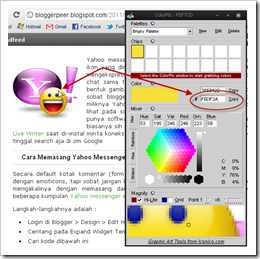
 Selain itu sobat juga dapat menulis dan memasukkan foto secara offline dengan aplikasi


