Cari Blog Ini

Tampilkan postingan dengan label Search Engine Optimization. Tampilkan semua postingan

Jumat, 10 Mei 2013

Add/Put Banners Ads On Blog To Make Money Easily

Banner Ads are also a big source of income by displaying Banners Ads on blog or website. I have many tricks to add banner ads in sidebar, blog header, above post, in between/middle post, below post, and in the footer. You can easily do also by reading my small tutorial which is given below. When you are going to advertise some links or ads on your blog or website keep in mind not add too much advertising banners or links on your blog because when you put banners in larger amount then visitors of your blog think he/she is not promoting blogging he/she just make money from your blog and visitors can't read your content and left your blog immediately it also decrease your visitors and increase your bounce rate (left blog on first page) and people who visit your blog one time like these then they can not come again to your site.

What Is Banner Ads How We Make Money From These Banners:

Blogging is great and blog also provide us to add advertising to your Blogger Blogspot Blog and make money from it. In this tutorial i will discuss how we make money from banner advertisements easily. Banner advertising is different from Google Adsense, Chitika, Adbrite, Amazon. Google Adsense ads are already add on 80% blog but if you have not added Google Adsense Ads on blog or website then go with this link to put it on your blog.  How I Can Place Adsense Ads Between My Blog Post or Below Title Tags . If you can't approved by Google to show ads on you blog then i have a easy tricks to get Google Account.

How I Can Get Approval From Google Adsense My Blog Or Website


Adding Advertising Banner Is Totally Free And Make Money:


It is not a secret that banners make money provided you choose your merchant program carefully but you have get enough traffic means a huge traffic on your blog or site to make money. If you are pass to get 300 visitors daily on your blog or website then you can easily make money from your blog with banner ads.


Affiliate Banner Put On Blog To Make Money:

Affiliate Marketing Banners are easily make money for publisher like you. When you are sign up for advertising banner for your blog to make money then Affiliate Programme gives a snippet of code in HTML which you add to your blog layout Add Gadget or in the between or below post to make money online. When you paste the code in HTML code it display like a banner on your blog page. When some one click on a banner on your website or blog that click is counted as originating from your blog and you make money as a result. How you can earn per click no one tell you about this but its depend upon the merchant programme that you have signed up for you can earn a commission and a few percentage of the sale.

Affilate Banner Put Below in your Blogger Post

How Banner Ads Work To Make Money:

When you put banners ad on that blog which get 300 visitors in a day then out of 300 people 10 people click on your banner ads which takes the visitor to merchant's website. From those 10 people 2  person purchase a thing nearly $200 assuming your commission is 10% of the sale then you get $20 in a day it just easy.  

Tutorial How To Place Banner Ads On Blog:

To place or put a banner ads on blog is very easy and anyone can do this easily you just copy the code and paste in your blog page element. If you want to add the affiliate banner below post then go with above link Add Banner Put Below Blogger Post. It is hard to get more visitors on your blog i have a very good trick which i always use to get more visitors on my website. How I Can Get More Pageviews Using Social Bookmarking.Com .


For Make More Money Get More Visitors On Blog:

To get more visitors on your blog is to much difficult but don't worry i have a tutorial to get more visitors on your blog its really work when i start blogging on my blog i use these tricks which gives me daily 250 visitors on my blog. I have put SEO techniques also on my blog if you want to do also then the links below explain you briefly about Search Engine Optimization.


Related Articles:


Hot And Latest Seo Tips For Blogger
How To Added Meta Tag In Your Blogger For Better Optimization
How to Verify My Blogger Blogspot in Webmaster Tools
If You want to Increase Google Ranking Then Sitemap of Your Blogger Is Submitt to Major Search Engines
Now Next Step To Add Webmaster Tools And Google Analytics to a Blogger Blog
You Can Easily Manage Permalinks Which Is Search Engine Friendly
You Should Make Internal Links And Backlinks and Increase in Blogger Blogspot
Method of Getting Free Backlinks From Your Blogger Or Website In Simple 5 Trick or Tips

Kamis, 25 April 2013

Quantity | More | Best Tricks To Use Custom Robots Tags Selection Blogger

In this tutorial i tell you how to set or adjust the Custom Robots option in blogger to better SEO. If you want to blogging with full of tricks then read more and more articles about SEO. Blogger is one of the best way to learn Search Engine Optimization which can do any simple person. Now come to point and work on custom robots tags in blog how to customize it for get organic visitors from search engine on our blog. I have discuss simple and easy tricks in this post which is easily understand by someone.

Let's Start Tutorial For Custom Robots Tags:

I suggest you if you have a blog then make money also with your blog by applying Google Adsense. If you make your blog with good looking template or get more visitors to your blog then click below links and get more tricks about blogging.

Make Your Own Free Blog At Blogger.Com
5 Ways How to Make your Blogger Blog Like WordPress Website
You Can Easily Manage Permalinks Which Is Search Engine Friendly


How To Set Custom Robots Tags And How To Verify Title Tags:

When you start your blog and make changes in your blog related to SEO (Search Engine Optimization) then first your go to setting and  search preferences and click edit on custom robots header tags when you click it then click all and noodp in all option and save it then your blog is ready to get more visitors from search engine and you have good blog with better ranking. One thing you also verify the title tags in webmaster tools for better and best search engine optimization. To read how to add title tags and how to verify it click below links.

How To Added Meta Tag In Your Blogger For Better Optimization
How Manage Blogger Title Tags to Improve SEO
How To Verify My Custom Domain With HTML File Or Meta Tags In Webmaster Tools
How to Verify My Blogger Blogspot in Webmaster Tools  

Now when you all do these tricks then definitely your blog get Alexa rank and Google Page rank also and get daily 1000 visitors for make more and more money.

Related Articles:

How To Make Blogger Header Image
How To Add Categories Link To Your Blogger Blog
SEO Tips How Keyword Take Your Website On Rank
Live Traffic Counter Put In Your Blogger Blogspot
Other Tips To Make Money


Minggu, 07 April 2013

How I Can Make Internal Links In The Blog Post To Increase Rank

This tutorial is about to make internal links in between post. Blogging tricks are very important to increase Google rank when you optimize your blog for better rank then this trick is very effective. I have already write very much post related to this problem some people comments me how we increase Google rank i really appreciate them and tell him use this tutorial to solve this problem.


When we optimize our blog for better Search Engine Optimization then these links very effective but
i am going to tell you about best and simple way to create internal links. Which also increase your page rank and Alexa rank.

When i start blogging then i realize the internal links are best way to make your blog perfect and also get more pageviews and original traffic from Google. Because Google increase rank those website which have more internal links and backlinks.

Now Let's Start The Tutorial:

When you start blogging then keep in mind you should make more internal links and backlinks. The best way to increase internal link is repeat your post in the blog post which you want publish. When you are going to publish your post then save your links which you have already publish. Save links on your notepad file and when you going to publish your post give your link in these post which you are going to publish.

How To Make Internal Links:

Go to Blogger.com.
Go to New post.
Write your post which you want to publish now.
Pick up your save links and put then in your post.
You can easily put internal link your post by using the link tools.
When you are writing your post pick link which are related to your post which you are going to publish.
Give the perfect title of your post.
When your doing this then you have see to links Open in New tab and Add "rel=nofollow'.
Tick the 'rel=nofollow' because Google crawler don't save duplicate content of your post.
When you done this then submit your blog post in sitemap in webmaster tools.

Submit Sitemap

When you submit sitemap then your blog is perfect and you done this with your all blog post later.
Your blog is get rank in one or two months it also take three months.
Your blog is ready to get more pageviews and original traffic from Google.

Related Posts: 

How To Make Sitelink For Better SEO
Create Internal Links And Backlinks To Different Blogger Blog Post
How I Can Remov Or Fix Broken URL For Google Adsense Crawler
How I Can Write 100% Original Content For Blogger
How To Make Backlinks To Other Website To Increas Page Ranka

Selasa, 26 Februari 2013

How To Make Sitelink For Better SEO

In this tutorial i am going to learn you about how to make your website sitelink. Sitelink is very important for any website. Because this shows to the researcher which type of content is write on your website page. If you make sitelink of your website you observes that your visitors increase by this tips.

Now Let's Start How To Make Better Sitelink For Your Domain For Better Search Engine Optimization
If you are know about this then well & Good but if you are not know about this then don't worry go with me and do this together if you have a blog then this tutorial is very easy to understand but if you have domain this is really difficult. Difficult for those people who think they can't do this. Let's Go to do.

If you have verify your domain or blog in the webmaster tools then half of your work is done. But if you have not verify your domain in the webmaster tools of not submit your sitemap then to do this click this link how to verify or submit sitemap for better SEO tips and you can also track your visitors by make your Google Analytic Account. If you have not do these tips then click this link to make these.


How To Make Sitelink For Better Search Engine Optimization:

If your domain or blog is verify and you have done all the steps in webmaster tools then go to Dashboard click your domain or blog link which is verify. Then do these following steps.


  1. Go Configuration.
  2. Click Sitelink.
  3. You See a page with demote button. 
  4. Give your page or post link in the blank box with Red Demote Button.
  5. Paste your Page URL or Post URL which you can show on search engine with your home page.
  6. Click demote and you have done this correctly.
Demote mean also to remove or replace your choice URL. When you do this after Six month it is correctly show your sitelink with your home page in search results. If you want to remove this sitelink then you can easily done this also simply click Remove Demotion. If any question is arise in your mind about this then you just comments me and i also reply this with my best answer.


Related Post:

How I Submit Sitemap of My Website In Google Search Engine
SEO Tips How Keyword Take Your Website On Rank
That Is The Solution Of Your Blogger Missing Gadget Features
Ready to Make Money With Adsense Keywords and Blogger
How Use Social Website To Increase Your Website Traffic  

Kamis, 21 Februari 2013

How to Verify My Blogger Blogspot in Webmaster Tools

In this tutorial i am going to tell you about verification of your blog in webmaster tools. From webmaster tool you gain your have SEO of your blog. I make this tutorial very easy for some one how is not know about SEO or keyword for Search Engine Optimization. If you have a blog already at Blogger.com then start with this. And if you have not a blog then click link which is shown below to how to make blog at blogger.com.

When you get your blog then go to webmaster tools which is for your SEO in the blogger. I already tell about the Blogger SEO article in my post. First what is webmaster tools? This is a tool which is given by Google to make your blog better in search engine and it gives you high rank in the Google search engine when you start it then you can realize that's good for your blogger blog. In the webmaster tool i will learn you main heading how to handle. Let's start with verification process.

1. Go to Webmaster Tools like this www.google.com/webmasters/tools
2. Login your Webmaster Tools account.
3. Go to Home and after this you can see on the right side of your webmaster page Manage Site. Click
    this link.
4. Click Add or Remove User.
5. Click owner and also click owner verification page. Now you can choose meta tags. When you click Meta Tags then it gives you a code. Copy this code on your clipboard and go to your Blogger.com and then go to Template > Edit Template > Expand Widget Template. Then the code which you have copy on your clipboard copy it and paste below the head section which look like this <head>. I also show in the picture how you can add this code and which place.
      
6. When you paste your code in below head section then click save template. Go to webmaster tools and click to verify. When you click if the code is correctly paste then you see the massage about congratulation. This is the first verification like this you make the three other steps of verification of your blog. Like HTML file which is already verify when you make your blog. Because Blogger.com is Google account. Next verification is Google Analytic code which is also very important with Google Analytic Code you can easily see how visitor is come from and which post is read about visitor and many more. I will definitely learn you about Google Analytic Code implementation. One and the most important step of verification is Domain Name Provider if you have only blog then not to verify it if you purchase a custom domain like this my blog name is trickofblogging.blogspot.com when i purchase a custom domain it changes to www.trickofblogging.com and i also pay for it near $10 per year. 

Now your Code is implement your verification is done. But other verification is most important i will tell you about these verification method in the next post. For these step you make your blog perfect and your blog is easily saw in the search engine if you like this post the you like these post also.

Rabu, 20 Februari 2013

5 Ways How to Make your Blogger Blog Like WordPress Website

In this tutorial i will tell you about the blogger blog look like website. If your blogger template is look like simple blog then ready to change your template and do some changes to improve your template look. Now we are going to learn about how to make your Blogger Blog same like professional website.

1. Start with buy to custom domain name and point your account to it.
    
Instead of having your URL be like www.someone.blogspot.com, you can have your URL be a more professional www.someone.com. You can buy a custom domain name either at a domain registration site or through  Blogger to Godady within $10 a year. Either way, set up the name by going to
Setting > Publishing > Publish on a custom domain. You can choose either to register with Blogger or you can use another registration site  (if you do, follow the switch to advanced setting > instruction).


2. After do This go to advanced layout option to customize the look of your site. Blogger has a fair variety of template for your site. They are not as look as WordPress template. especially the premium which we get when we paid for it. But they are fully customized. In this tutorial i will learn and show how it is customize and use in the blogger i show you some step in easy ways.

Add a custom header in your blogger to replace the big title of your custom domain.

  • Go to Layout.
  • Click on the Header box and add your own custom header image.

Add a custom background:
  • Go to Template.
  • Click Customize and pick a basic template to start. Click to the background link to add a custom background template.

Add Custom details:
  • Go to Template click Customize and start doing with all the details of each element of your blog.

3. Add More Page To Look Better and Google Ranking:
In the Blogger you add possible 20 page standalone static pages that show up under your header as tabs. For to make the page to your below your template header. Go to the Page and after that section go to add the page and edit page. Click on the option which tell you about show page as Top Tabs it is really to describe to your header across. Below this line i will show you which type of page is shown.

                           
Like this.


4. Add Social Media Icons:
In the Blogger include social media sharing buttons for each post. but doesn't have a good gadget to allow people to follow you on your social sites. If you look to top of your post in the blog like Google+
Twitter, Facebook, Pinterest so many sites.

To add this gadget this is very easy to add i will tell you about this in my recent post. To add this gadget read this article clearly to better add gadget.
5. Add a Site Logo or Favicon:
To add site logo or favicon in your blog. About this you first ready to make your logo on photoshop.
To make header or logo use this tutorial and get your logo and go to live converter to favicon. You easily get your favicon. Click this link to read how to make header or logo of your choice.

Selasa, 19 Februari 2013

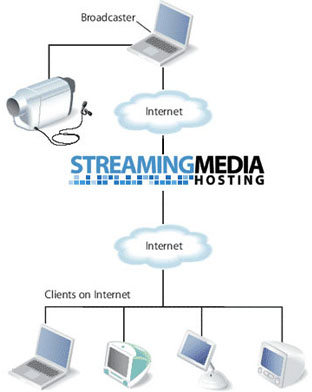
How To Embeded Live Streaming On My Blog Or Website

In this tutorial i tell you about the live streaming. Live Streaming is the biggest way to make money but it has never been easy. If you are the master in web developing then you become do this. But i will tell the overview of live streaming to embed on blog or website. I am also not a web developer but i do this easily when i check out this. 

Now let's start creating and broadcasting live streaming video on your site is fairly easy to do with embed code from a couple of sites. Livestream or Ustream, two live streaming video sites, allows you to create your own channel and broadcast your live streaming video with a few simple clicks.When you are going to do this you make the account first on these two website.


1. Go on website which is give above.
2. Sign Up for new account.
3. When you make account they asked some question
    about you and your channel. Like name of Your
    Channel.

4. When you Create an account then go to Go To Show
    Page On right side.
5. To Get the embed code.
6. When you grab the live video embed code.
7. Go to your Blogger and sign in.
8. Go to Layout > Add A Gadget.
9. Paste Your code in this box and click save.
10. Now view blog your live streaming is now working.

Tips and Troubleshooting:
If your live streaming video is not show on your blog then its mean you can paid for it and when you paid and buy your live stream then you also make money with your live streaming if some body when watch your video then you earn some money.

Sabtu, 02 Februari 2013

How To Add Categories Link To Your Blogger Blog

This article is aimed at new bloggers and beginner bloggers although it is suitable for all Blogger bloggers. No changes to the templates are required to add these categories to your Blogger Blog-spot.
Blogger Blog-spot at Blogger.com have no categories only labels. This Blogger Blog-spot tutorial will show you how to manually add categories in your Blogger Blog-spot from you existing labels.

How to Create Categories from Labels in Blogger One easy way to create a categories link in Blogger is to simply rename the title of the labels widget as categories. This solution does not work from me because on this blog i have a huge number of labels and I don't want to show this widget at the top of my sidebar. An easy way round this problem is create a separate categories link. If you look at the sidebar of my blog you will notice that i have several major categories at the top so that a new visitor will find what they are looking for quickly under these broad heading.

Example of Categories Link From Trick Of Blogging Sidebar
To add a categories link to a Blogger Blog follow these simple steps:

1. Now you can Decide what you want to group your articles according to the labels applied and what group heading you want to give to each grouping of articles.


2. For the first category navigate to the individual page of the label you wish to use by clicking on the label in your sidebar. Copy the URL address of this page from the address bar in your browser. For example the URL address of the label of Blogger Tutorial on this site is.

           http://trickofblogging.blogspot.com/search/label/Blogger%20tutorial

3. From the Blogger Dashboard go to Design > Page Elements.
4. Click Add a Gadget in the sidebar and select Links List.
5. In the Configure Link list dialog box that appears paste the link to your label into the new URL box.
6. Enter the name of your label or some alternative text if you wish into the New Site Name text box.
7. Enter Categories as the title.
8. Choose between sort alphabetically, reverse alphabetically or don't sort.
9. Click on Add Link to add the link to your new categories list.
10. Click on Save.

For every label you wish to put into the Categories Link copy the link and add it to the Configure Links List. By the end you will end up with two or more categories in your list.


Senin, 31 Desember 2012

Now Ready To Increase Google Page Ranking And Alexa Ranking

Today I continue my series of articles on search engine optimization SEO for blogger blogspot blog. The focus of this article is on increasing the Google page ranking of your Blogger blogspot blog. If your blog is like mine and relatively new you will find getting off the lowest rung of the Google page ranking a bit of a mission but it can be done particularly if you use solid SEO techniques. 

To recap search engine optimization is the process of making your website search engine friendly. As major search engines like Google and Yahoo will drive most of the traffic to your blog the more search engine friendly your blog is the more traffic you are likely to receive.

 There are a number of SEO search engine optimization techniques you can employ on your blog to boost traffic such as adjusting titles tags, making use of meta tags, using keywords and keywords phrases, improving keyword density, submitting your blog sitemap to search engines. I have discussed these in details in my article SEO tips for Blogspot Blogger Blog.


I have already written a number of other articles about SEO for blogger blogspot blogs to including the following articles so if you want help with basic search engine optimization try these:
How to create search engine friendly permalinks for blogger.
Add Breadcrumb navigation to Blogger Blogspot.
Add Meta tags to blogger Blogspot Blog for Better SEO.
Adjust Blogger Titles Tags for Better SEO.
How to Add a Blogger Sitemap to Major Search Engines.
Submit You Blogspot Blog to Yahoo.
Add Blogger Sitemap to MSN Live.
Tips to Build Traffic For Blogspot Blogger Blog.

Once you have started employing these SEO techniques and tips you are going to want to measure your blog's progress. Tow important tools that measure the popularity of website are Google Page Ranking And Alexa Ranking.

Selasa, 25 Desember 2012

How To Added Meta Tag In Your Blogger For Better Optimization

I have Observed that there are many ways to make the better optimization of your blog and you may also read many more articles and blogs to which telling you to just add meta tags however this will very likely achieve the opposite result from the one you are after. Whether you are yet to add meta tags or have added meta tags already make sure you read and follow the methods contained in this article to get the best results.

I am going to tell you about the meta tags how you can added in your HTML to improve search optimization. Meta tags are the words which can easily work and make your post or blog in ranking in the search engines.

Meta Tags Info and What are Meta Tags:
Meta tags are HTML tags that provide additional information about your blog that is unseen by visitors but available to search engines. The meta tags or meta description tag, for example, provides a short summary of the pages content. The keywords meta tags show the keywords and keyword phrases a visitor might use to find your blog. Because of abuse of meta tags search engines have become smarter and most no longer place emphasis on keywords to establish page ranking however keywords meta tags are still used by some search engines so it is a good idea to include them.

Blogger And their Limitations:
One of the disappointing aspects of Blogger is that it is not properly optimized for SEO. Meta descriptions and keywords are not supported by blogger.com by default. Title tags are also not optimized. This means that you will miss valuable opportunities to attract visitors to your blogs.
 However meta tags and meta descriptions can be inserted into your Blogger template to good effect. Fortunately these work arounds will go a long way to improving the placement of your blog in search engine results.

Simply placing a meta tag description in your blogger template is problematic because blogger will use the same meta tags for all pages in your blog. This means that every entry that Google has for your site will show in search results with the same description. This solution would result in reduced traffic rather than increased traffic. However there is a way to add meta tags to the post pages in your blog. In this way visitors will find the home page of your blog in search engines by the use of appropriate keywords and site description.

How to add meta tags to Blogger:

  1. Login to Blogger.
  2. Navigate to Design and go Edit HTML.
  3. First you can download the backup of your template.
  4. Then you go to expand widget templates box.
  5. Scroll and find these words
  6. Now paste these line to remove the above line.
  7. Enter your blog description between the single quote marks under description. Maximum 150 characters.
  8. Enter the keywords of your blog between the single quote marks under keywords. Ensure you separate each keyword or keyword phrase by a comma. Make sure your keywords do not exceed 200 characters.
  9. Then Click to Save Template Button.
  10. To see your description in action you can either navigate to your blog's home page and click on view source in your browser. In internet Explorer you will find this option in the view men. A text document will appear which you can scroll through. You will See your description near the top of the document. Alternatively you can check your description in a free Meta Tag Analyzer tool Such as submit express or SEO Centro.

Minggu, 23 Desember 2012

Hot And Latest Seo Tips For Blogger

With so many articles now some are getting buried in archives so t decided it might be useful for readers to have tell about the blogger and give list of all the blogger tutorials that appear on this site. For convenience i have grouped then under some heading including (SEO) Search Engine Optimization, Feed, Social Bookmarking and many more.


Now Learn About the (SEO)  Search Engine Optimization

Blogger Blog spot Tutorials About:

Make More Traffic On your Site.
Track the Site Visitor.
 Make Proper Indexing By Search Engine.
Search Engine Results Pages.
Improve Google Page Rankings.


The latest tips and techniques of blogger to make perfect site.
This article discusses 10 easy ways blogger (Blog spot). Blogger can build site traffic and in many cases improve (SEO) Search Engine Optimization. By Implementing these Steps you will improve the likelihood of your site ranking more highly in search engine results of major search engine player Google, Yahoo, and MSN, and  as a result increase the number of visitors accessing your site.

10 Easy SEO Tips for blog spot blogger to improve Search Engine Rankings

1. Make your Title Tags Search Engine Friendly:

One of the most important and necessary for blog-spot blogs is the adjustment of the titles tags of your website because blogger.com by default has not optimized these for search engines. To prove this point navigate to an individual post on your blog and you will see that blog-name appears first in the title bar at the top of your browser followed by the name. As search engines place greater value on the first words of an entry this puts your site at a disadvantage in search engine results. Fortunately it is easy to reverse the blog name and the post name with a simple. For instruction on how to change the order of these title tags please look my article entitled adjustment blogger title tags to improve SEO.

2. Create Search Engine Friendly Permalinks:

Blogger automatically generates a permalink based on the titled of your post each time you make a post. For this reason it is important to craft your title carefully. Permalinks are sometimes less than ideal especially if you have long title.

3. Add a Social Networking Button To your Blog:

By adding a social bookmarking button to your website you will enables visitors to your blog to create links to popular social bookmarking sites such as Google, Facebook, MySpace, Digg, and many more.
Another benefit of a social bookmarking button is that you will be able to identify visitor trends and social bookmarking behavior on your site. For more information on how to added a free add this social bookmarking button to your blogger blog. Go gadget and then second icon is the button of Google plus which you can use on your website of blog.
4. Submit a sitemap to Google to better search and other search engines.

If attracting traffic to your site is important to you then it is imperative that you ensure that your blogger blog is properly indexed by popular search engines such as Google, Yahoo, MSN.
5. One way to submit sitemap of your website of blogger go webmaster to create the sitemap.
To generate the sitemap you can search on Google to create sitemap generator. Then you can put your URL in the sitemap generator and pick this quire and put into you webmaster tools add site manager.
Submit your sitemap easily and Google are now tracking your site and visitor and your site is properly indexed.

6. Write Best and Quality content and post Frequently:

If you have read any articles on the subject of blogging and SEO you will no doubt have observed writers emphasizing the importance of quality content. I can't Stress enough how much return visits depends n providing inducement to visitors to comeback. If your site content is well written and informative half the battle is won.  Make sure you post frequently so that visitors can seed the value of subscribing in a reader. Take some care with the presentation of your content and images as this will present a professional image. Avoid common pitfalls like bad grammar and spelling mistakes which stand out like a sore toe and detract from a visitor's overall positive experience of your site.

7. Ensure your content is keyword rich apart from the quality of your content there is the question of keyword density. The more keyword rich your posts are the greater the likelihood they will appear higher in the search engine results. This means it is worth the effort of crafting your content in such a way that you make use of important keywords and keyword phrases frequently used. Don't go over board however as Google is smart enough to recognize if your pages are littered with keywords and nothing much else.

8. Manage Your Feeds Carefully:

Feeds help your visitors find your site so they need to be managed carefully in order to make the most of them. Your site feeds are an important way to create back links too. Back links from authoritative sites are highly valuable and con boost your page ranking. For information about showing back links please refers to the blogger help.

9. Optimize your use of Images

Chances are you don't give a thought to image when you insert them into your posts but images can be optimized by careful use of file-names and the alt attribute. When naming images avoid ling names. Instead gives you images distinctive file-names rather than something generic like 12345.jpg which has no meaning.

Last And important tips and points

10. Take advantage from web analytic tool and service:

When you think your website or blogger is appears on search engines then you go on Google analytic tool which is the main source of your site on ranking. In this tool you submitted your web address like its URL and the name of your site and then you analyze how visitor come on your website and how many duration he visit your site you can analyze everything like which country your site is visit.